Set up in about 20 minutes.
No software for reps. No CRM changes. Your admin approves one screen.
Step 1: Sign in with Microsoft.
Or with an email link if you are not on Microsoft 365.
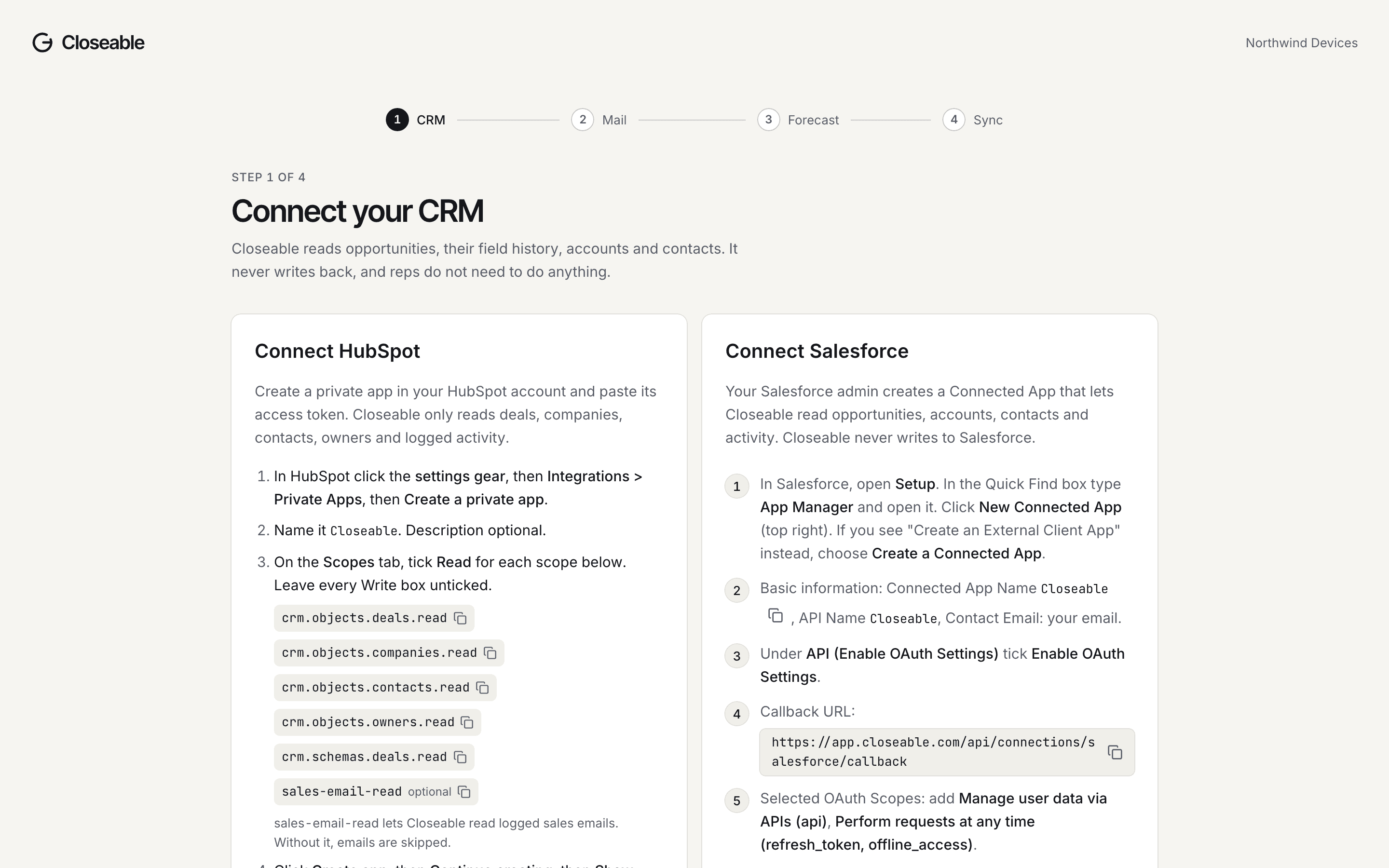
Step 2: Connect your CRM.
HubSpot: create a private app with the five read scopes listed on screen, then paste the token.
Salesforce: your admin creates a Connected App with the callback URL shown, pastes the consumer key and secret, then authorizes. Closeable never sees a Salesforce password.
Step 3: Approve the Microsoft 365 consent.
What the admin consent screen shows:
- Read mail in all mailboxes
- Read calendars in all mailboxes
- Read all users' full profiles
- Sign in and read user profile
Those are Microsoft's words for application permissions. Closeable then reads only the mailboxes you pick in the next step. Your admin can enforce that with an Application Access Policy; the command is in Security.
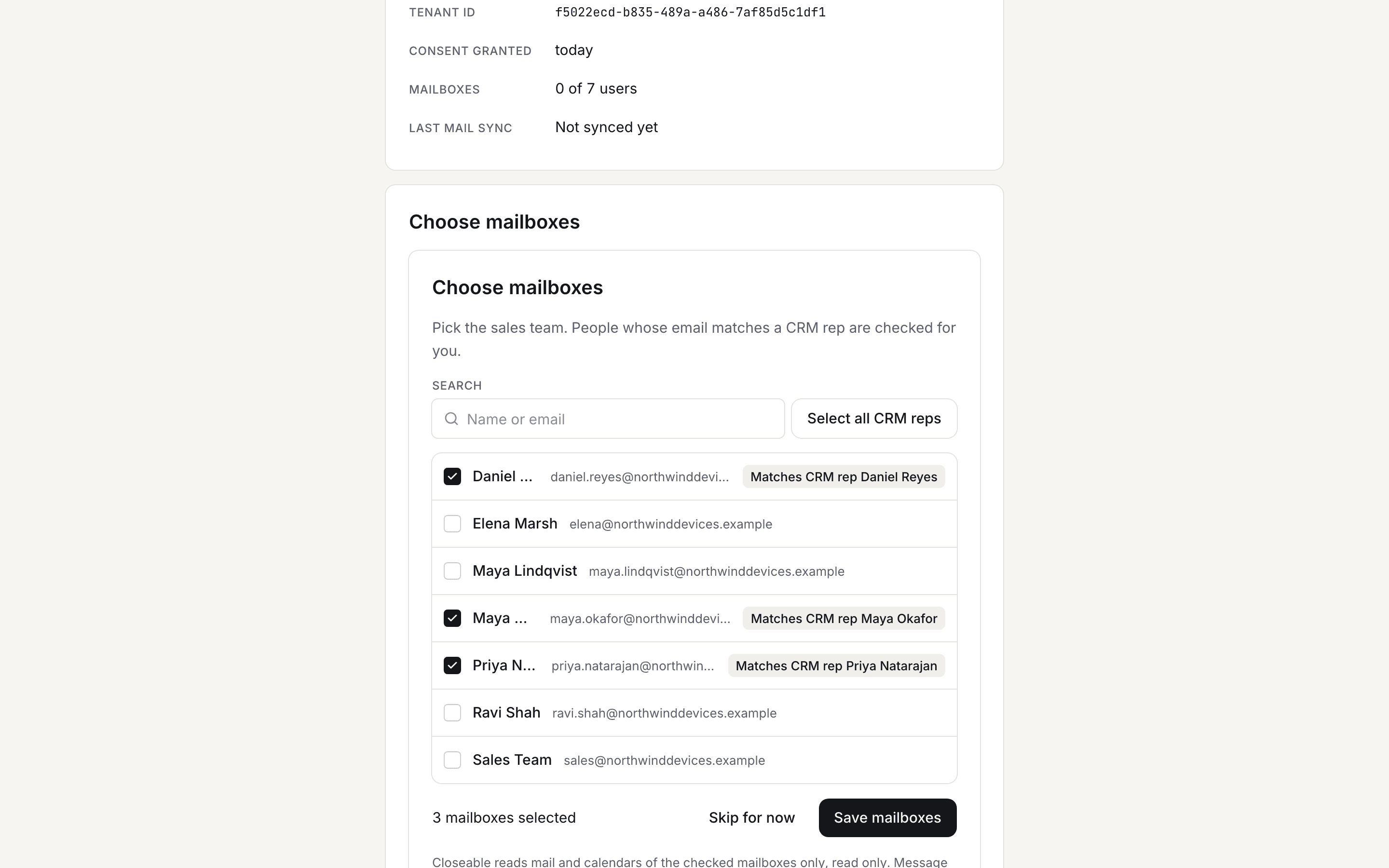
Step 4: Pick the sales mailboxes.
Anyone whose email matches a CRM rep is pre-checked. Uncheck anyone. Add a shared sales inbox if you use one.
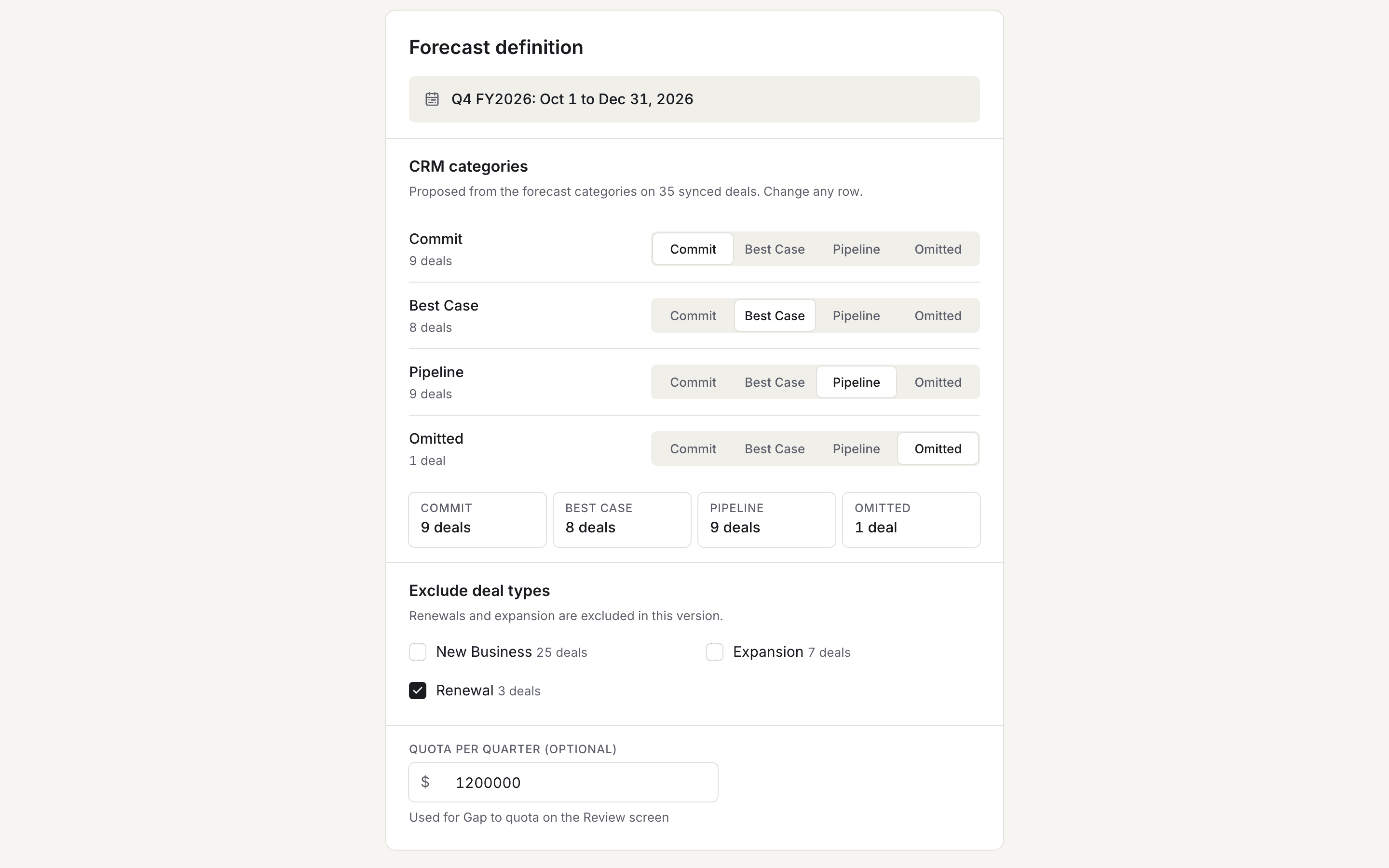
Step 5: Confirm the forecast definition.
Closeable reads your forecast categories and stages and proposes the Commit, Best Case and Pipeline mapping. Exclude renewals by deal type if you forecast new bookings only.
Step 6: First sync, first review.
Deals and history first, then mail and calendar for the last 90 days, then scoring. Usually under an hour for a 10-rep team.


What is read, and what is never read.
Read
- Deals, accounts, contacts, owners, field history, notes, tasks and logged calls from the CRM.
- Mail headers and bodies, meeting subjects, times and attendees for the picked mailboxes.
- Website visits, if you add the script.
Never read or done
- Mailboxes you did not pick.
- Attachments.
- Teams or chat.
- Passwords.
- Anything written back to the CRM.
- Any email sent by Closeable on your behalf.
After setup.
- Syncs run every 15 minutes.
- Scores refresh hourly when there is new evidence.
- The Monday email arrives at 7:00 AM in your timezone.